 Process Explorer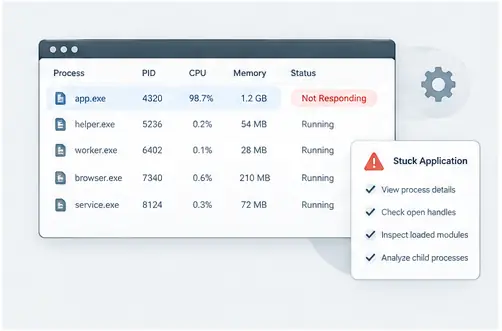
Start with the symptom
When an application freezes or becomes unresponsive, record what you can see first: the application name, what action triggered the problem and whether other applications are affected. Then locate the corresponding process.
Check related processes
A visible application may have helper processes that continue working even if the main window is stuck. The process tree can show whether the problem is isolated or part of a larger chain. Look at CPU and memory values as clues rather than automatic diagnoses.
Inspect resources
If the process is holding files, loading modules or creating child processes, those details may explain the behavior. Search for relevant handles when you suspect a file lock, or inspect modules when the problem appears after an update.
Document before terminating
Terminating a process can remove useful evidence. When possible, inspect the process first and record the relevant path, parent process and resource information. Then take the least disruptive action that fits the situation.
Turn a stuck application into a structured investigation
When an application becomes unresponsive, avoid immediately terminating every related process. First identify the visible application, inspect its parent and child processes, and look at handles, modules or resource activity that may explain the state. A structured sequence preserves useful evidence and reduces guesswork.
Practical checklist
Record the symptom, identify the process, expand its children, inspect open resources and loaded modules, check resource activity, and only then decide whether a process-level action is appropriate.